# 8-cut
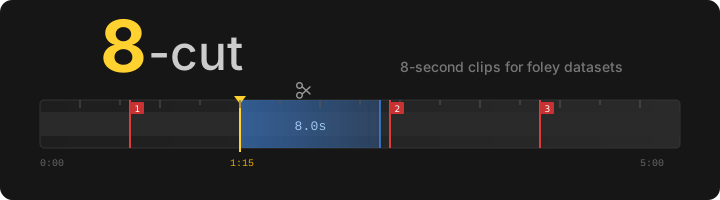

A desktop tool for cutting 8-second clips from video files, designed for building foley datasets.
## Overview
8-cut lets you scrub through a video, mark a cut point, and export a batch of overlapping 8-second clips with one keypress. It tracks every export in a local SQLite database so you can resume a session or switch between resolution variants of the same source without duplicating work.
All clips are exactly 8 seconds — the standard length for foley sound datasets.
## Features
- **Frame-accurate scrubbing** — click or drag the timeline; arrow keys and J/L for frame-by-frame, Shift for 1-second steps
- **Batch export** — export multiple overlapping clips per cut point with configurable count and spread offset
- **Two export formats** — H.264 MP4 with lossless PCM audio, or WebP image sequence (frames + `.wav`)
- **Portrait crop** — crop to 9:16, 4:5, or 1:1 before export; click the video or crop bar to reposition
- **Random portrait** — optionally apply a random portrait crop to a subset of each batch
- **Resize** — scale short side to a fixed pixel size (e.g. 512)
- **Sound annotation** — label and category fields saved to `dataset.json` and the clip database
- **Export history** — timeline markers show previously exported clips; double-click to enter overwrite mode; right-click to delete
- **Fuzzy matching** — detects resolution variants of the same file (`_2160p` vs `_1080p`) and shares markers between them
- **End-frame preview** — floating window shows the last frame of the selection region
- **Playlist** — drag-and-drop or use the Open Files button; right-click to remove items
- **Playback loop** — plays the exact selection region on loop so you can preview what will be exported
- **Group operations** — delete or overwrite acts on all sub-clips in a batch, not just one
## Keyboard shortcuts
| Key | Action |
|-----|--------|
| `Left` / `J` | Step back 1 frame |
| `Right` / `L` | Step forward 1 frame |
| `Shift+Left` / `Shift+J` | Step back 1 second |
| `Shift+Right` / `Shift+L` | Step forward 1 second |
| `Space` / `P` | Toggle play/pause |
| `K` | Pause and snap to cursor |
| `E` | Export |
| `M` | Jump to next marker (wraps) |
| `N` | Next file in playlist |
Shortcuts are suppressed when a text field has focus.
## Requirements
- Python 3.11+
- `ffmpeg` on `PATH`
- PyQt6
- python-mpv (requires libmpv)
```
pip install -r requirements.txt
```
### Platform notes
| Platform | libmpv |
|----------|--------|
| **Linux** | `apt install libmpv-dev` or `pacman -S mpv` |
| **macOS** | `brew install mpv` |
| **Windows** | Download `mpv-2.dll` from [mpv Windows builds](https://sourceforge.net/projects/mpv-player-windows/files/libmpv/) and place it in `PATH` or next to `main.py` |
Windows also needs `ffmpeg.exe` on `PATH` (e.g. `winget install ffmpeg`).
## Usage
```
python main.py
```
Drop videos onto the queue or click **+ Open Files**. Scrub to your cut point, then press **Export** (or `E`).
### Export layout
Each export creates a group subfolder containing the overlapping sub-clips:
```
output/
clip_001/
clip_001_0.mp4 # starts at cursor
clip_001_1.mp4 # starts at cursor + spread
clip_001_2.mp4 # starts at cursor + 2 * spread
clip_002/
...
```
With WebP sequence format, each sub-clip becomes a directory of frames plus a `.wav`:
```
output/
clip_001/
clip_001_0/
frame_0001.webp
frame_0002.webp
...
clip_001_0.wav
```
### Sound annotation
Set a **Label** (e.g. "dog barking") and **Category** (Human / Animal / Vehicle / Tool / Music / Nature / Sport / Other) before exporting. These are saved to:
- `dataset.json` in the export folder — one entry per clip with `path` and `label`
- The SQLite database — for recall when you revisit a marker
Labels persist between exports so you can cut many clips of the same class without retyping.
### Overwrite and delete
- **Double-click** a timeline marker to enter overwrite mode — the next export re-encodes all clips in that group to their original paths
- **Right-click** a marker to delete it from the database
- The **Delete** button removes all clips in a group from disk, database, and `dataset.json`
## Database
Export history is stored in `~/.8cut.db` (SQLite). The database records filename, start time, output path, label, category, and all encoding settings for every clip. When you open a file, 8-cut fuzzy-matches the filename (stripping resolution tags like `_2160p`, codec tags, etc.) and pre-populates the timeline with existing markers.
## Testing
```
pytest tests/ -v
```
49 unit tests covering path builders, ffmpeg command generation, time formatting, database operations, group queries, and annotation handling.
## License
[GNU General Public License v3.0](https://github.com/ethanfel/8-cut/blob/master/LICENSE)